Create a Nudge
Choose a title, type, date, time, reminder timing, reminder style, and optional recurrence.
Private reminders, on your device
Create one-time and repeating reminder items called Nudges, choose how they follow up, and keep Today, Upcoming, and Completed organized.
Made for follow-through
Choose a title, type, date, time, reminder timing, reminder style, and optional recurrence.
Start with Medicine, Vitamins, Prayer, Water, Exercise, Stretch, Skincare, or Read.
Mark an item done, snooze or reschedule it, reopen it later, or delete it.
The essentials, without an account
Create one-time Nudges or repeat them Daily, Weekly, Monthly, or on selected weekdays.
Choose Once, Follow Up, or Until Done according to how much follow-up an item needs.
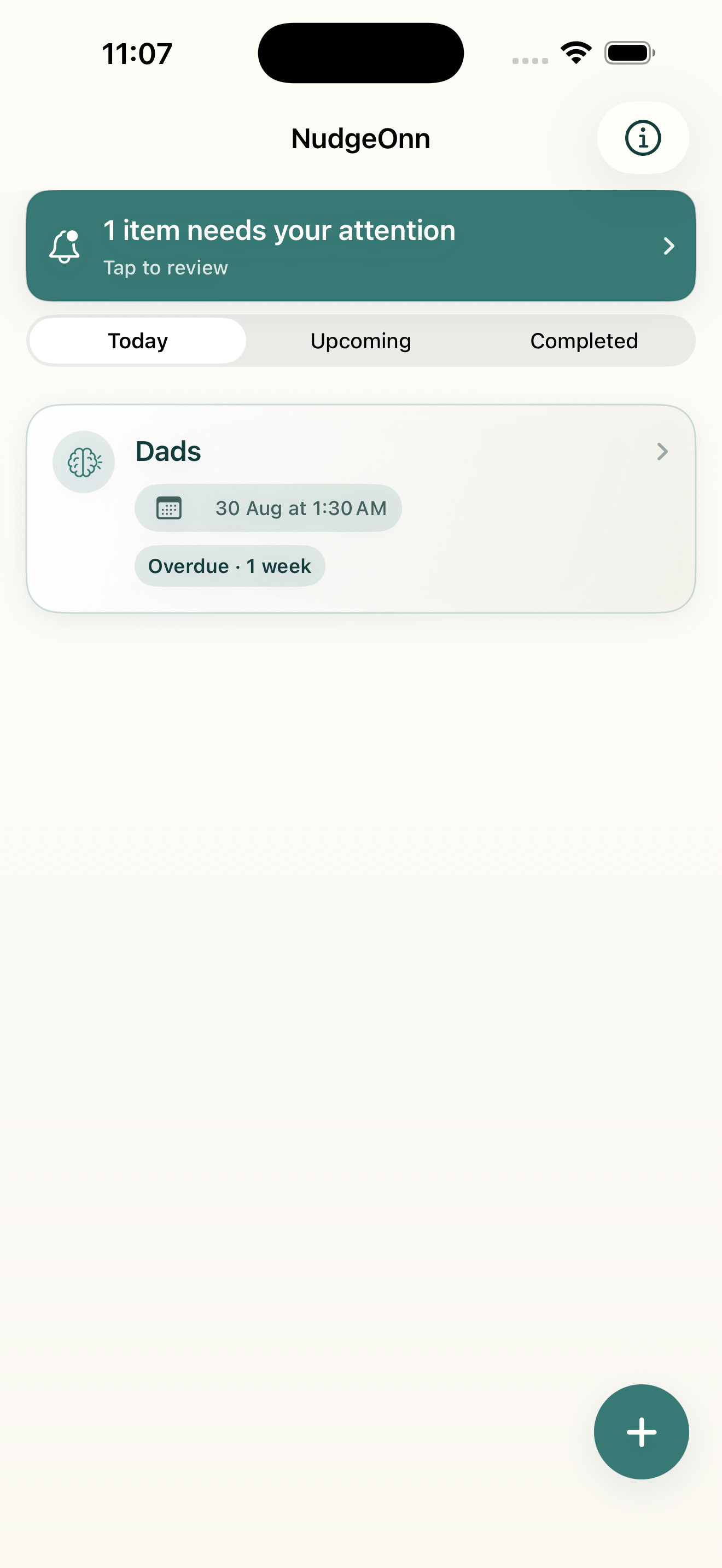
See items in Today, Upcoming, and Completed, with unresolved or overdue items under Items need your attention.
Use Done, Snooze, Reschedule, and the app’s other reminder-management actions when plans change.
Complete or snooze from a notification, or tap it to open the associated item.
SwiftData stores your items on the device. Reminder functionality needs no account, backend, or internet connection.
Reminder styles
NudgeOnn schedules local notifications through Apple’s UserNotifications framework and uses a custom sound included in the app.
The primary notification only.
The primary notification and one follow-up if the item remains unfinished.
The primary notification and additional follow-ups while the item remains unfinished.
NudgeOnn 1.0
The current home screen keeps attention items, Today, Upcoming, Completed, and quick creation within easy reach.
Private reminders for the things you intend to do.